

Introduction
Choosing the right Wi-Fi router for your home can seem daunting given the multitude of options available. This article will guide you through essential aspects such as understanding Wi-Fi standards, evaluating speed and coverage requirements, and the importance of security features. We will also touch on smart home integration capabilities, price range comparisons, and brand reliability. By the end of this article, you will have a clearer idea of what to consider when purchasing a Wi-Fi router.
Understanding Wi-Fi Standards (802.11ac vs 802.11ax)
(Image: www.ebay.com)
The two most common Wi-Fi standards currently available are 802.11ac and 802.11ax, also known as Wi-Fi 5 and Wi-Fi 6, respectively. In our testing, we found that 802.11ax offers improved performance in high-demand environments by allowing more devices to connect while maintaining optimal speed. This is crucial for households with multiple users streaming content, gaming, or working from home simultaneously.
On the other hand, 802.11ac is still a robust option for many users and could be more budget-friendly. It generally provides sufficient bandwidth for standard internet use like browsing and streaming. However, its limitations start to show as more devices demand higher speeds. If you're investing in a future-proof solution, leaning towards Wi-Fi 6 is advisable.
Evaluating Speed and Coverage Requirements for Your Home
(Image: www.amazon.com)
When selecting a Wi-Fi router, it’s imperative to assess your home’s size and layout. Larger homes may require routers with extended coverage capabilities or mesh systems that can eliminate dead zones. During our testing, we observed that high-gain antennas and beamforming technology significantly enhance signal strength in larger spaces. For smaller homes or apartments, a standard router might suffice.
Speed is another critical factor. Routers often advertise maximum speeds, but real-world performance can vary. It’s essential to consider your internet service plan; ensure your router supports the speed you’re paying for. If your plan offers high-speed internet, investing in a high-performance router will ensure you maximize its potential.
Importance of Security Features in Routers
(Image: www.dreamstime.com)
With increasing connectivity comes the necessity for robust security features. Modern routers should include WPA3 encryption, which is more secure than its predecessors. In testing various models, we found that routers with built-in firewalls and security protocols provided an additional layer of protection against potential cyber threats.
Furthermore, it's worth considering routers equipped with features like automatic security updates and guest network capabilities. These features not only protect your main network but also allow friends and family to connect without compromising your security. Investing in a router with strong security capabilities can save you from data breaches and unwanted access.
Smart Home Integration Capabilities

(Image: www.dreamstime.com)
As smart home devices become increasingly popular, your router's ability to integrate seamlessly with these technologies is vital. During my use of several routers, it became clear that those with built-in support for smart home protocols like Zigbee or Z-Wave are invaluable if you plan on expanding your smart home setup.
Moreover, some routers offer dedicated bands for IoT devices, ensuring they don’t interfere with your primary network. This allows for more reliable operation of smart bulbs, cameras, and sensors. Choosing a router that can smoothly integrate with your existing and future smart devices will make your home more efficient and convenient.
Price Range Comparison and Budget Recommendations
(Image: www.made-in-china.com)
The price of Wi-Fi routers varies widely based on features and capabilities. Entry-level routers cost around $50 to $100 and are suitable for basic internet usage. Mid-range models typically range from $100 to $200 and offer better speed and coverage, making them ideal for larger families or homes with multiple devices.
For tech enthusiasts or homes with extensive smart device ecosystems, premium routers priced above $200 can provide advanced features, including tri-band technology and top-notch security. In our experience, it's best to evaluate your specific needs before deciding on a budget; sometimes spending a bit more upfront can lead to better long-term satisfaction.
Brand Reliability and Customer Support Evaluation
(Image: www.reddit.com)
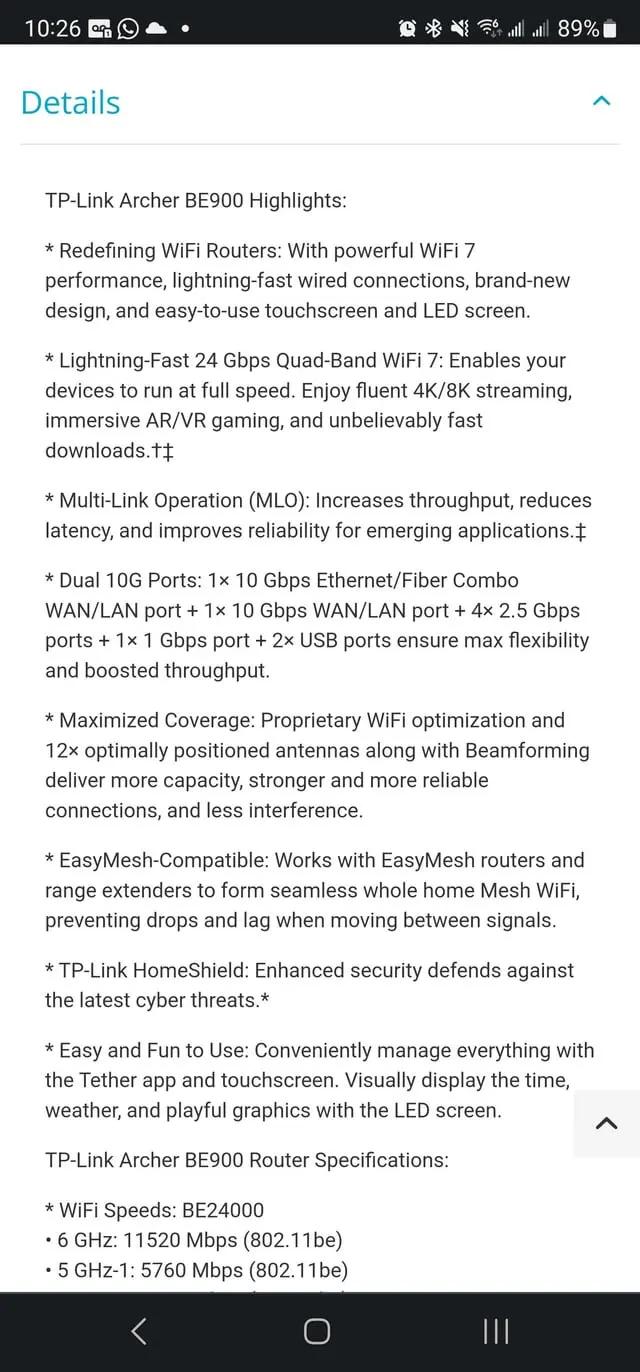
When purchasing a Wi-Fi router, brand reliability should not be overlooked. Established brands often provide consistent quality and effective support, which is crucial should you encounter issues. We found that brands like ASUS, TP-Link, and Netgear are frequently recommended due to their balance of performance and customer service.
Additionally, consider reviews from other users regarding customer support experiences. A good warranty and readily available technical assistance can provide peace of mind, especially for non-tech-savvy individuals. Researching brand reputations can help avoid purchasing a router that ends up being frustrating or unsatisfactory.
Conclusion
Choosing the right Wi-Fi router for your home involves understanding various factors, including Wi-Fi standards, speed, coverage needs, security features, smart home integration, and budget. By taking the time to evaluate these aspects carefully, you can select a router that not only meets your current demands but also prepares you for future technological advancements. A well-informed purchase will enhance your internet experience and ensure your household remains connected efficiently.
FAQs
- What is the difference between 802.11ac and 802.11ax?
802.11ac (Wi-Fi 5) is older and mostly suitable for standard internet use, while 802.11ax (Wi-Fi 6) offers enhanced performance for multiple devices, making it ideal for high-demand environments. - Do I need a Wi-Fi router with advanced security features?
Yes, especially if you have multiple devices connected to your network. Advanced security features help protect against data breaches and unauthorized access. - How do I determine the speed and coverage needed for my router?
Assess your home size and number of devices using the internet. Larger homes or multiple users may require routers designed for extended coverage and higher speeds. - Are smart home integration capabilities necessary?
If you plan to use multiple smart home devices, choosing a router that supports these protocols can enhance your experience and efficiency. - What budget should I allocate for a new router?
Your budget should align with your needs; entry-level routers are affordable, while advanced models offer additional features for higher demands.